D-link COVR-1100 AC1200 Dual-Band Mesh...
Original price was: ৳ 4,670.00.৳ 4,340.00Current price is: ৳ 4,340.00.

D-Link DIR-615 300 Mbps Single-Band...
Original price was: ৳ 1,450.00.৳ 0.00Current price is: ৳ 0.00.

D-Link DIR-615X1 N300 300Mbps Wireless...
Original price was: ৳ 1,200.00.৳ 1,100.00Current price is: ৳ 1,100.00.

D-Link DIR-650IN N300 300mbps WiFi...
Original price was: ৳ 2,000.00.৳ 1,790.00Current price is: ৳ 1,790.00.

D-Link DIR-650IN N300 300mbps WiFi...
Original price was: ৳ 1,485.00.৳ 1,350.00Current price is: ৳ 1,350.00.

D-Link DIR-806IN AC750 Dual-Brand Wireless...
Original price was: ৳ 2,000.00.৳ 1,850.00Current price is: ৳ 1,850.00.

D-Link DIR-819 AC750 Dual Band...
Original price was: ৳ 2,310.00.৳ 2,250.00Current price is: ৳ 2,250.00.

D-Link DIR-841 AC1200 MU-MIMO Wi-Fi...
Original price was: ৳ 3,000.00.৳ 2,500.00Current price is: ৳ 2,500.00.

D-Link DIR-X1560 1500mbps WiFi 6...
Original price was: ৳ 6,920.00.৳ 5,200.00Current price is: ৳ 5,200.00.

D-Link DIR-X6060 AX6000 Dual Band...
Original price was: ৳ 30,000.00.৳ 29,300.00Current price is: ৳ 29,300.00.

D-Link DSL-2750U N300 ADSL2 4-Port...
Original price was: ৳ 2,500.00.৳ 1,750.00Current price is: ৳ 1,750.00.


D-Link Wireless DIR-825 AC1200 Dual...
Original price was: ৳ 3,650.00.৳ 3,500.00Current price is: ৳ 3,500.00.


Netgear Nighthawk RAX200 AX11000 11000mbps...
Original price was: ৳ 48,400.00.৳ 44,300.00Current price is: ৳ 44,300.00.

Netgear Nighthawk RAX50 AX5400 5400Mbps...
Original price was: ৳ 35,000.00.৳ 30,000.00Current price is: ৳ 30,000.00.

Netgear Nighthawk RAX70 Tri-Band AX8/8-Stream...
Original price was: ৳ 35,500.00.৳ 30,950.00Current price is: ৳ 30,950.00.

Netgear Nighthawk XR1000 AX5400 Pro...
Original price was: ৳ 40,000.00.৳ 39,500.00Current price is: ৳ 39,500.00.

Netgear Orbi Pro SRS60 AC3000...
Original price was: ৳ 18,920.00.৳ 17,200.00Current price is: ৳ 17,200.00.

Netgear Orbi RBK352 AX1800 1800Mbps...
Original price was: ৳ 30,000.00.৳ 29,000.00Current price is: ৳ 29,000.00.

Netgear Orbi RBK752 AX4200 4200Mbps...
Original price was: ৳ 53,000.00.৳ 50,000.00Current price is: ৳ 50,000.00.

Netgear Orbi RBK852 AX6000 6Gbps...
Original price was: ৳ 90,000.00.৳ 86,000.00Current price is: ৳ 86,000.00.

NETGEAR ORBI RBK853 AX6000 WIRELESS...
Original price was: ৳ 150,000.00.৳ 140,000.00Current price is: ৳ 140,000.00.

NETGEAR Orbi RBS350 AX1800 WiFi...
Original price was: ৳ 17,000.00.৳ 15,500.00Current price is: ৳ 15,500.00.

Netgear R6120 Wireless AC1200 Mbps...
Original price was: ৳ 4,000.00.৳ 3,400.00Current price is: ৳ 3,400.00.

Netgear R6850 Wireless AC2000 Mbps...
Original price was: ৳ 9,000.00.৳ 6,499.00Current price is: ৳ 6,499.00.

Netgear RAX10 4-Stream AX1800 1800mbps...
Original price was: ৳ 17,500.00.৳ 15,000.00Current price is: ৳ 15,000.00.

Netgear RAX120 AX6000 Nighthawk AX12...
Original price was: ৳ 46,200.00.৳ 36,000.00Current price is: ৳ 36,000.00.

Netgear RAX40 AX3000 Nighthawk AX4...
Original price was: ৳ 18,000.00.৳ 17,200.00Current price is: ৳ 17,200.00.

NETGEAR RBS750 ORBI AX4200 TRI-BAND...
Original price was: ৳ 30,000.00.৳ 27,499.00Current price is: ৳ 27,499.00.

Netgear RBS850 Orbi AX6000 Tri-Band...
Original price was: ৳ 45,000.00.৳ 39,800.00Current price is: ৳ 39,800.00.

Netgear Whole Home AC3000 Mbps...
Original price was: ৳ 35,000.00.৳ 31,450.00Current price is: ৳ 31,450.00.

Netgear XR500 Wireless AC2600 Mbps...
Original price was: ৳ 18,150.00.৳ 16,500.00Current price is: ৳ 16,500.00.

Netis E1+ 300Mbps Wireless N...
Original price was: ৳ 2,000.00.৳ 1,850.00Current price is: ৳ 1,850.00.


Netis N3 AC1200 Wireless Dual...
Original price was: ৳ 4,000.00.৳ 3,730.00Current price is: ৳ 3,730.00.


Netis W4 300Mbps 4 Antenna...
Original price was: ৳ 1,760.00.৳ 1,600.00Current price is: ৳ 1,600.00.

Netis WF2409E 300Mbps Wireless N...
Original price was: ৳ 1,685.00.৳ 1,630.00Current price is: ৳ 1,630.00.

Netis WF2631 Beacon N300 Gaming...
Original price was: ৳ 5,550.00.৳ 4,690.00Current price is: ৳ 4,690.00.
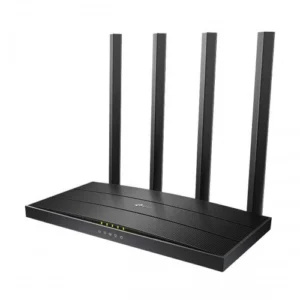
TP-Link Archer C6 AC1200 Wireless...
Original price was: ৳ 3,300.00.৳ 3,200.00Current price is: ৳ 3,200.00.


Router Price in Bangladesh 2026
Introduction
A computer network is a system that connects multiple devices together to share data and resources. One of the most commonly used types of computer networks is a wireless network, also known as Wi-Fi. A Wi-Fi router is a device that allows multiple devices to connect to a wireless network and access the Internet. In this article, we will provide a detailed overview of Wi-Fi routers, including their features, components, and how they work.
Wi-Fi routers are designed to provide wireless Internet access to multiple devices simultaneously. Some of the key features of Wi-Fi routers include:
Wireless Connectivity: Wi-Fi routers use radio waves to transmit data wirelessly between devices. This allows users to connect to the Internet without using cables or wires.
Multiple Devices: Wi-Fi routers can connect to multiple devices at the same time. This makes it possible for users to access the Internet on their phones, tablets, laptops, and other devices simultaneously.
Security: Wi-Fi routers come with built-in security features to protect users from hackers and unauthorized access. These security features include password protection, firewalls, and encryption.
Range: Wi-Fi routers have a limited range, which means that they can only provide Internet access within a certain distance. However, some routers have a longer range than others, depending on their specifications.
Components of Wi-Fi Routers
Wi-Fi routers are made up of several components, each with its own function. These components include:
Antennas: Wi-Fi routers use antennas to transmit and receive data wirelessly. The number and type of antennas can affect the range and speed of the wireless network.
Processor: The processor in a Wi-Fi router handles the routing of data between devices and the Internet. The speed and power of the processor can affect the overall performance of the router.
Memory: Wi-Fi routers have a memory that is used to store configuration settings, firmware, and other data.
Ethernet Ports: Wi-Fi routers often have Ethernet ports that allow devices to connect to the router using a wired connection.
USB Ports: Some Wi-Fi routers have USB ports that can be used to connect external storage devices or printers.
How Wi-Fi Routers Work
Wi-Fi routers work by creating a wireless network that allows devices to connect to the Internet. When a device connects to the router, it sends a signal to the router requesting access to the Internet. The router then sends this signal to the modem, which connects to the Internet service provider (ISP).
The ISP then sends data back to the modem, which is then sent to the router. The router then sends the data wirelessly to the device that requested it. This process is repeated for each device that is connected to the Wi-Fi network.
Conclusion
Wi-Fi routers are essential components of modern computer networks. They allow multiple devices to connect to the Internet wirelessly, making it possible for users to access the Internet from anywhere in their home or office. Understanding the features and components of Wi-Fi routers can help users choose the right router for their needs and ensure that their network is secure and efficient.